OptimalShip (Optimal Logistics) provides transactional delivery and exception tracking SMS only. These messages are not marketing or promotional texts.
Message frequency varies by shipment. Message and data rates may apply. Reply STOP to opt out of shipment tracking texts. Reply HELP for help.
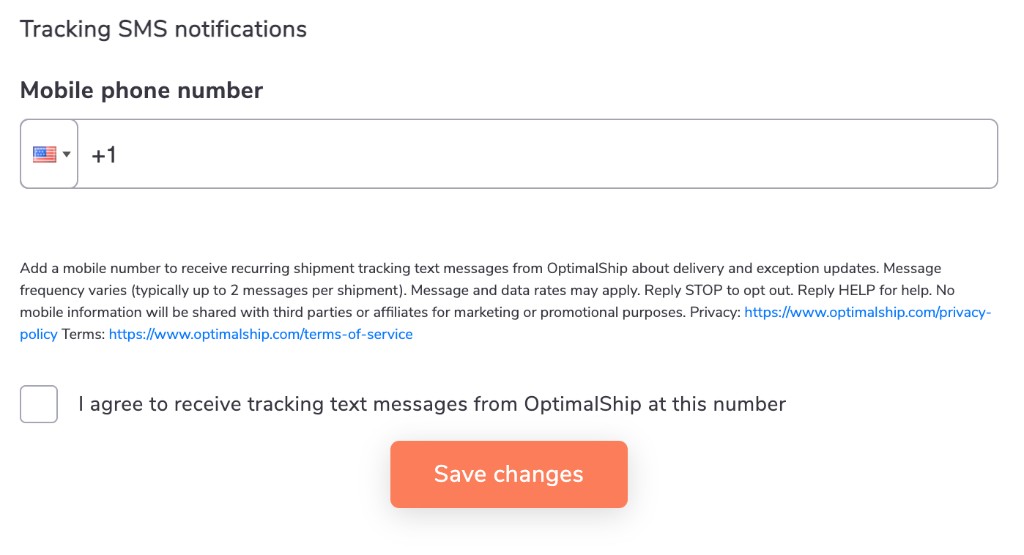
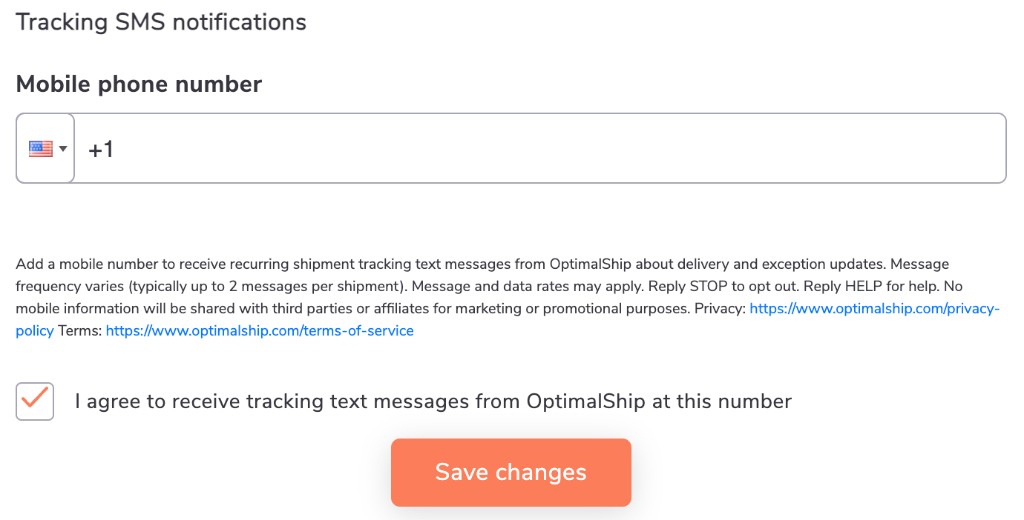
Signed-in customers can opt in from Settings by adding a phone number and checking the unchecked SMS tracking checkbox. The Settings description reads:
Add a mobile number to receive recurring shipment tracking text messages from OptimalShip about delivery and exception updates. Message frequency varies (typically up to 2 messages per shipment). Message and data rates may apply. Reply STOP to opt out. Reply HELP for help. No mobile information will be shared with third parties or affiliates for marketing or promotional purposes. Privacy: https://www.optimalship.com/privacy-policy Terms: https://www.optimalship.com/terms-of-service
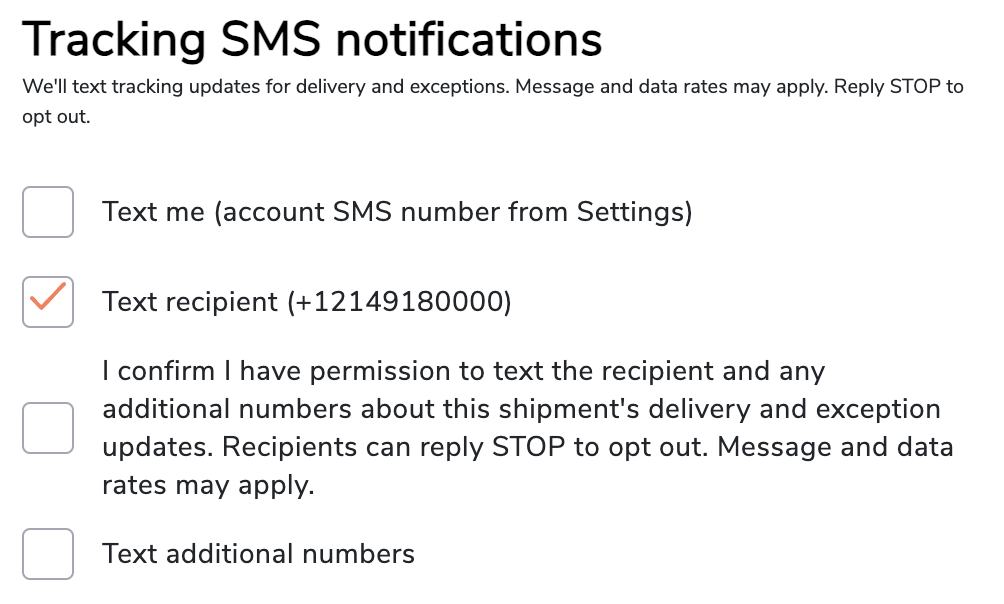
When sending a shipment, shippers confirm consent with language that includes the following:
I confirm I have permission to text the recipient and any additional numbers about this shipment's delivery and exception updates. Recipients can reply STOP to opt out. Message and data rates may apply.
For more information, see our Privacy Policy and Terms of Service.
Consent screen screenshots
Signed-in customers opt in from Settings: the full consent description appears above an unchecked “I agree to receive tracking text messages” checkbox next to the mobile number field.
The same Settings screen after opt-in: the consent copy is unchanged and the tracking SMS agreement checkbox is checked.
When preparing a shipment, the shipper selects recipient notification options and attests they have permission to text recipients about delivery and exception updates for that shipment.