Platform Integrations > Woocommerce
Woocommerce
To install the plugin, you will need to download the latest version(version 1.3) below:
Steps for WooCommerce integration:
- Open your Wordpress Admin panel, click on Plugins, and select Add New.
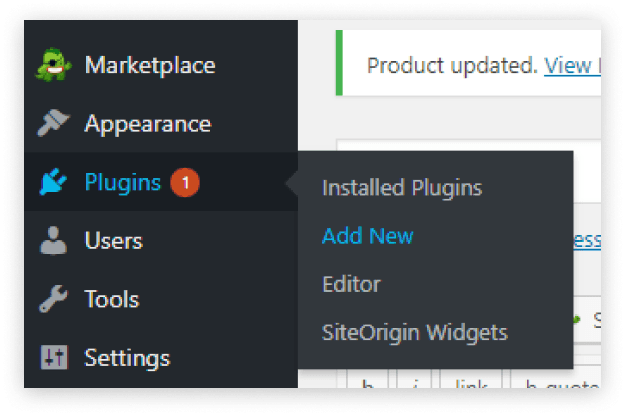
- Click Upload Plugin and select the downloaded ZIP.

- Find Optimal Ship Express International Shipping in your list of plugins and click Activate (if necessary).

- On the side panel, click on Woocommerce and select Settings.
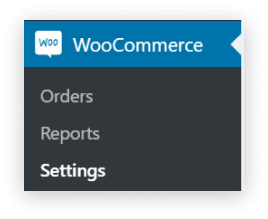
- Click on the Shipping tab.

- Click Optimal Ship in the Shipping panel sub-menu.
 This will pull up the configuration menu as seen below.
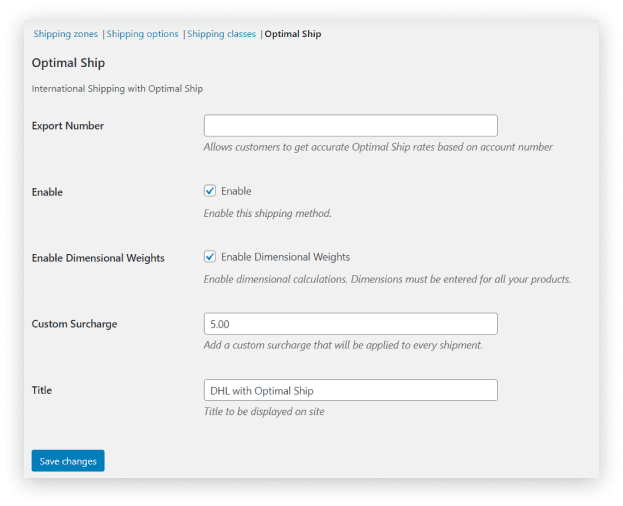
- Export Number: Enter OptimalShip Export Number. If you do not know your Export Number, please contact customerservice@optimalship.com
- Enable: Click the Enable checkbox to begin showing DHL Express with OptimalShip rates in your shopping cart. To remove this shipping service without uninstalling the plugin, uncheck this box.
- Enable Dimensional Weights: If your products have dimensions, click Enable Dimensions Weights. This will allow dimensional weights to be used, resulting in much more accurate rates on larger items.
- Custom Surcharge: Add a Custom Surcharge as desired. This is a flat rate that will be added to the total charge of the shipment and passed on to the client in their shopping cart.
- Title: Adjust title as desired. This is the name of the OptimalShip shipping option as it will appear in your customer's shopping cart.
- Export Number: Enter OptimalShip Export Number. If you do not know your Export Number, please contact customerservice@optimalship.com
- There are two ways to enable this shipping option internationally:
If your business does not ship to all international locations, create a new shipping zone with the countries you want to allow shipping to. Then enable DHL with OptimalShip as the shipping method for that zone only.
A more common setup, pictured below, is to enable DHL with OptimalShip as the shipping method for zones not already configured. Make sure to first set up U.S. shipping since DHL with OptimalShip is not designed for domestic shipping, and then add DHL with OptimalShip as the shipping method for Locations not covered by your other zones.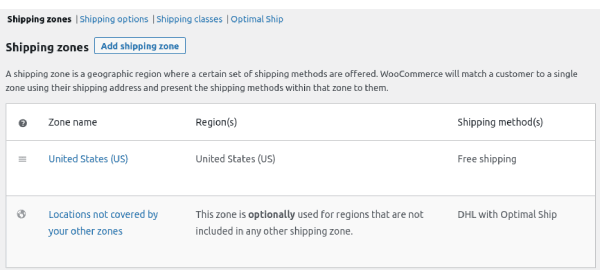
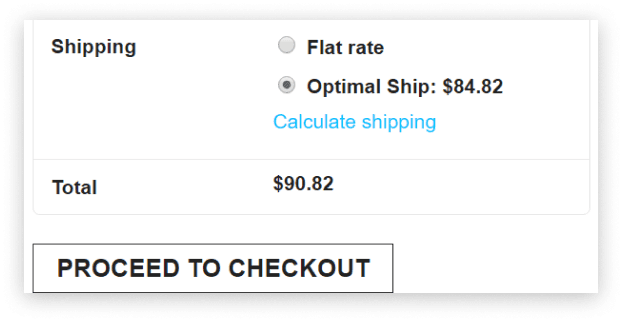
- Verify everything is working by adding items to your shopping cart and calculating the shipping cost. You should see DHL with OptimalShip (or the Title you provided in the configuration menu) appear as one of the shipping options for international orders.