Platform Integrations > ShippingEasy
ShippingEasy
DHL Express shipment preparation is available through ShippingEasy using your export or import number provided to you by OptimalShip. Your DHL shipping rates will not appear within ShippingEasy. In order to check your rates prior to shipping with DHL, please use the OptimalShip quote tool found here: OptimalShip Quote Tool
Steps to Configurate ShippingEasy Account
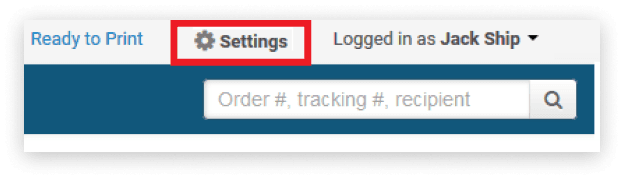
- Log into ShippingEasy, go to Settings, and select One Balance and Carriers.
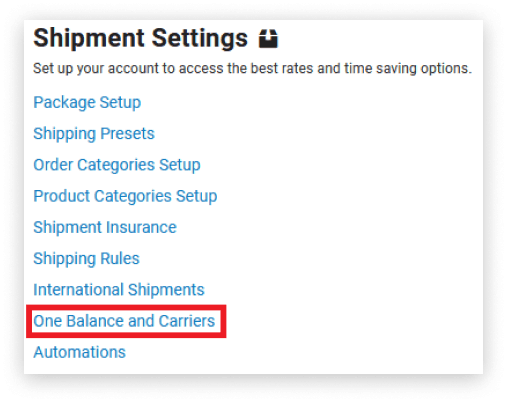
- Select DHL Express and then click Setup.

- Enter your DHL export or import number provided to you by OptimalShip and click Connect Account.
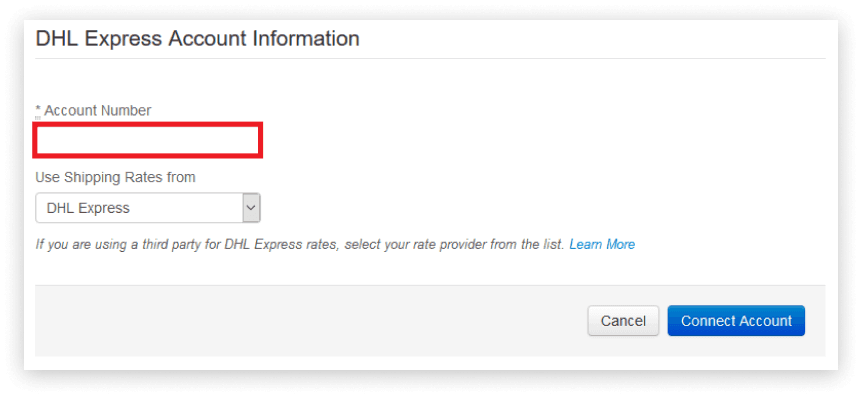
- Complete setup by adding and confirming the remainder of the shipper information.
- Once the shipping account is configured, ShippingEasy will allow you to print labels and retrieve tracking details. ShippingEasy will not be able to pull the shipment rate internally, but you can still complete your shipment within the system.